The TP-Link USB Bluetooth Adapter review centers on the UB500 Plus, a USB receiver for adding Bluetooth connectivity to a desktop or laptop.
Its Bluetooth 5.3 support, adjustable antenna, and compatibility with several Windows versions make it a flexible choice for everyday peripherals.
TP-Link UB500 Plus Review Summary
The quick verdict
1,000+ ratings
Read Amazon ReviewsTP-Link UB500 Plus
A practical option for Windows PC owners who want Bluetooth connectivity, adjustable antenna positioning, and broad compatibility with older devices.
- Bluetooth 5.3 with Enhanced Data Rate (EDR) technology.
- Backward compatible with Bluetooth versions 4.2, 4.0, 3.0, 2.1, 2.0, and 1.1.
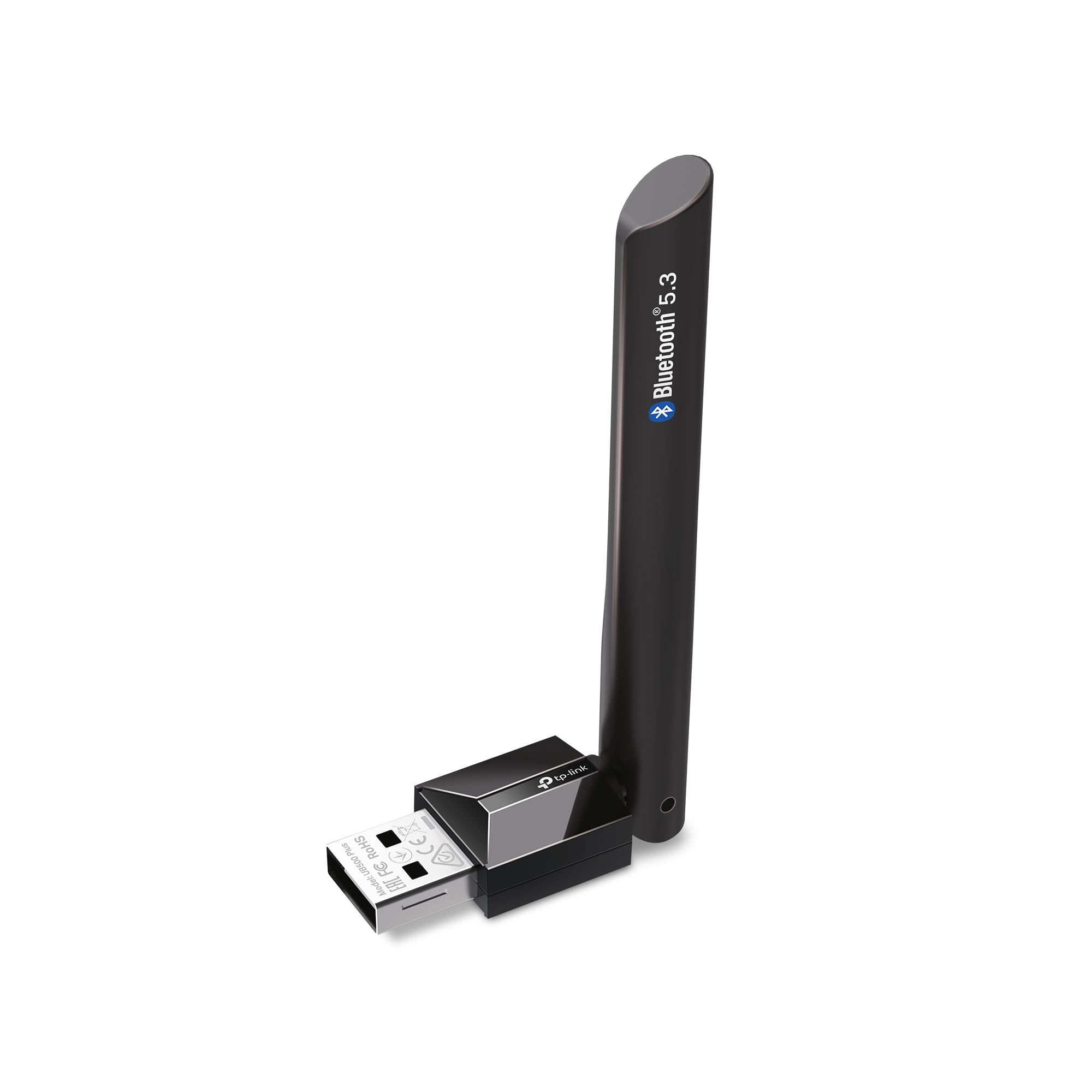
- An adjustable, multidirectional antenna that can be rotated to change its position.
- Bluetooth Low Energy (BLE) support, described as operating at an optimal rate of power consumption.

Pros
- Newer Bluetooth 5.3 support paired with compatibility for a range of older Bluetooth versions.
- Adjustable antenna offers more positioning flexibility than a fixed orientation.
Consider before buying
- Windows 7 setup requires downloading a driver, so it is less immediate on that system.
- Plug-and-play setup for newer supported Windows versions depends on an internet connection.
Read the full review summary
The UB500 Plus is designed to turn a non-Bluetooth PC into a Bluetooth-capable computer, with support for devices such as keyboards and mice.
Bluetooth 5.3 with EDR and BLE gives it a newer standard while maintaining compatibility with several older Bluetooth versions, which can help when a computer needs to work with a mix of devices.
Its adjustable, multidirectional antenna is the standout practical feature: you can rotate it to suit the adapter’s position and surrounding setup.
Windows 8.1, 10, and 11 are listed for plug-and-play use when the computer is connected to the internet; Windows 7 requires a driver.
It is best suited to Windows users who want a simple USB addition and value flexible antenna placement.
The buying factors
TP-Link UB500 Plus Scorecard
Editorial scores reflect listed features and buyer fit; they are not laboratory measurements or customer ratings.
Windows compatibility
Supports Windows 7, 8.1, 10, and 11, with a driver required for Windows 7.
Bluetooth version support
Bluetooth 5.3 with EDR is backward compatible with versions 1.1 through 4.2.
Antenna flexibility
The multidirectional antenna can be rotated and adjusted for different setups.
Setup convenience
Plug-and-play is specified for Windows 8.1, 10, and 11 with an internet connection; Windows 7 takes an extra driver step.
Older-device support
Backward compatibility spans a broad range of earlier Bluetooth versions.
Portability
It connects by USB, though the adjustable antenna makes it a less minimal choice than a tiny micro adapter.
Key Features and Specifications of TP-Link UB500 Plus
- Bluetooth 5.3 with Enhanced Data Rate (EDR) technology.
- Backward compatible with Bluetooth versions 4.2, 4.0, 3.0, 2.1, 2.0, and 1.1.
- An adjustable, multidirectional antenna that can be rotated to change its position.
- Bluetooth Low Energy (BLE) support, described as operating at an optimal rate of power consumption.
- Plug-and-play use for Windows 8.1, 10, and 11 when the computer is connected to the internet.
- Windows 7 support with a separately downloaded driver.
Pros and Cons of TP-Link UB500 Plus
Pros
- Newer Bluetooth 5.3 support paired with compatibility for a range of older Bluetooth versions.
- Adjustable antenna offers more positioning flexibility than a fixed orientation.
- Supports common Windows versions from Windows 7 through Windows 11, with setup requirements made clear.
- EDR and BLE address different Bluetooth use patterns, including data transfer and low-energy operation.
Consider before buying
- Windows 7 setup requires downloading a driver, so it is less immediate on that system.
- Plug-and-play setup for newer supported Windows versions depends on an internet connection.
- The listed speed and coverage gains are comparisons with Bluetooth 4.0; they should not be treated as guaranteed results in every PC setup.
Who Should Buy TP-Link UB500 Plus?
Good fit
Consider the TP-Link UB500 Plus if a desktop or laptop lacks Bluetooth and you want to connect compatible peripherals such as a keyboard or mouse.
Its broad version compatibility may also suit a household or workspace where newer and older Bluetooth devices are used with the same computer.
The antenna is useful when the adapter’s orientation matters to your setup.
You can rotate it to find a position that works better for the space around the PC, while keeping expectations grounded: the product description gives comparative coverage figures, but actual results can depend on the computer and environment.
For a Windows 8.1, 10, or 11 computer with internet access, the described setup is straightforward. Windows 7 owners should be comfortable obtaining and installing the required driver before relying on the adapter.
Who should skip it
Skip it if you need a Bluetooth adapter for an operating system outside the listed Windows versions, or if you cannot download a driver for a Windows 7 setup.
Look elsewhere if your priority is the smallest possible USB accessory; the UB500 Plus’s adjustable antenna is intended to provide positioning flexibility rather than a minimal profile.
How the TP-Link UB500 Plus Fits a Windows PC Setup
Bluetooth 5.3 and older peripherals
The adapter combines Bluetooth 5.3 with backward compatibility covering versions 1.1 through 4.2.
That range is useful when a PC needs to pair with a varied collection of devices, while EDR and BLE make the feature set relevant to both data transfer and low-energy use.
Compatibility still depends on the device and its own Bluetooth implementation.
Antenna position in real setups
A multidirectional antenna that rotates gives you a way to adjust the adapter’s orientation after plugging it in. This can be helpful if the USB port or computer placement leaves the antenna pointing inconveniently.
The design offers positioning options, but it does not establish a particular range in every room or interference condition.
Setup across Windows versions
The product is specified for Windows 8.1, 10, and 11 with plug-and-play use when the computer has an internet connection. Windows 7 is also supported, but needs a downloaded driver.
Check the Windows version and whether you can get online during setup before choosing it, especially for an older PC.
Speed and coverage claims
The product description compares its speed and coverage with Bluetooth 4.0, giving figures of up to twice the speed and four times the coverage.
Those are maximum comparative claims, not a promise of measured performance for every computer, paired device, or physical environment.
Treat them as context for the intended upgrade and judge the adapter by the connectivity needs of your own setup.
Alternatives to TP-Link UB500 Plus
One useful comparison is included; choose based on whether you prefer a newer Bluetooth standard with antenna adjustment or a simpler micro-adapter design.
Bluetooth Network Adapters alternative
3,000+ ratings
Read Amazon ReviewsSABRENT BT-UB40 USB Bluetooth 4.0 Micro Adapter
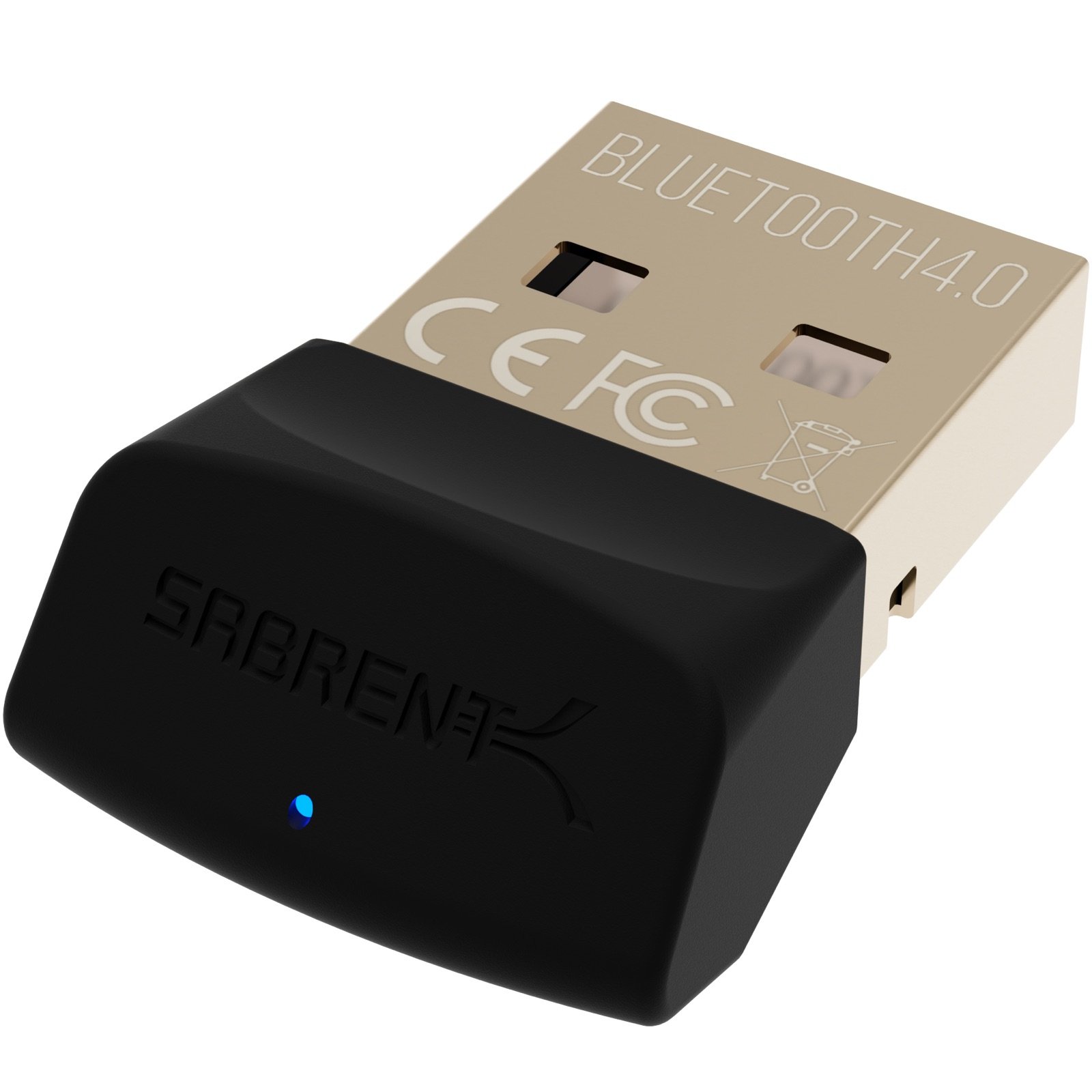
Choose the TP-Link if Bluetooth 5.3 support and adjustable antenna positioning suit your setup. The SABRENT is a simpler micro-adapter option if Bluetooth 4.0 and its listed connection uses cover what you need.
- The SABRENT BT-UB40 is a Bluetooth 4.0 Class 2 micro adapter with low-energy technology.
- Its listed compatibility includes Bluetooth versions 3.0, 2.1, 2.0, and 1.1, and its described uses include connecting a headset or linking a computer with a cellphone.
- The TP-Link UB500 Plus supports Bluetooth 5.3, compatibility with Bluetooth versions back to 1.1, and an adjustable multidirectional antenna.
Is TP-Link UB500 Plus Worth It?
The TP-Link UB500 Plus is worth considering for Windows PC owners who need to add Bluetooth and want a newer standard, broad backward compatibility, and antenna positioning flexibility.
Its most useful buying checks are whether your Windows version is supported and whether you can meet the setup requirements for that version.
It is a practical fit for connecting compatible peripherals, with a driver step for Windows 7 and an internet requirement for plug-and-play use on newer listed versions.
The stated speed and coverage improvements are maximum comparisons, so base your decision on the adapter’s features and your setup rather than expecting a guaranteed range.
Your review at a glance
1,000+ ratings
Read Amazon ReviewsTP-Link UB500 Plus
A practical option for Windows PC owners who want Bluetooth connectivity, adjustable antenna positioning, and broad compatibility with older devices.
- Bluetooth 5.3 with Enhanced Data Rate (EDR) technology.
- Backward compatible with Bluetooth versions 4.2, 4.0, 3.0, 2.1, 2.0, and 1.1.
- An adjustable, multidirectional antenna that can be rotated to change its position.
- Bluetooth Low Energy (BLE) support, described as operating at an optimal rate of power consumption.