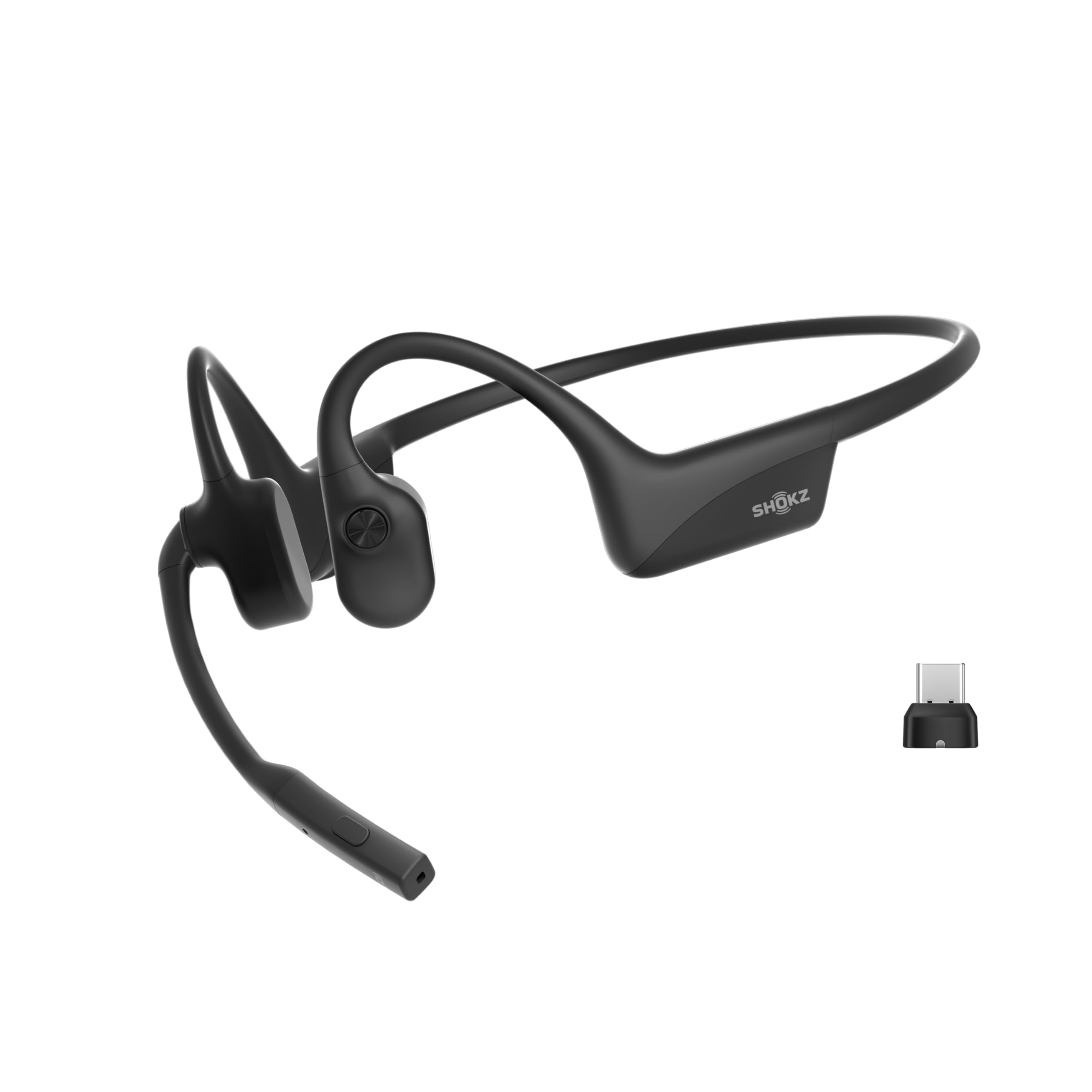
The SHOKZ OpenComm2 UC Open-Ear Headset review centers on a work-oriented combination: an open-ear bone conduction design, boom microphone, and included wireless adapter for PC or Mac.
Its long stated talk time and physical call controls suit people who spend much of the day in meetings, provided an open-ear listening style fits their workplace.
OpenComm2 UC Review Summary
The quick verdict
500+ ratings
Read Amazon ReviewsSHOKZ OpenComm2 UC
A work-focused headset for people who want a boom mic, open-ear fit, computer adapter and long call sessions without sealing off their ears.
- Open-ear design uses SHOKZ 7th-generation bone conduction technology and PremiumPitch 2.0 audio.
- A boom microphone with DSP noise-canceling technology is designed for calls.
- The included Loop120 wireless adapter is intended for PC and Mac compatibility; the headset is Zoom certified.
- Physical controls provide volume adjustment, call mute and unmute, and audio playback commands.

Pros
- Work-focused package pairs a boom microphone with a computer adapter.
- Open-ear fit leaves the ear canals uncovered, which may help users stay aware of their surroundings.
Consider before buying
- The open-ear design does not isolate the listener from ambient sound, so a quiet environment may be easier for calls and focused listening.
- The maximum talk and listening times differ; buyers who alternate between calls and media should plan around their own usage.
Read the full review summary
OpenComm2 UC is built around calls and computer use. The Loop120 adapter is intended to provide a stable PC or Mac connection, and Zoom certification is aimed at straightforward software integration.
A boom microphone with DSP noise cancellation and integrated mute controls also puts call handling within reach on the headset itself.
At 35 g, with a flexible frame and up to 16 hours of talk time per charge, it is designed for extended mobile work.
The open-ear format leaves the ear canals uncovered, which can be useful when you want to remain aware of nearby activity. This is a specialized headset for work conversations, rather than a general-purpose pick for every listening preference.
The buying factors
OpenComm2 UC Scorecard
Editorial scores reflect listed features and buyer fit; they are not laboratory measurements or customer ratings.
Call-focused design
The boom microphone, DSP noise cancellation and physical mute control directly support frequent calls.
Computer readiness
The included Loop120 adapter is designed for PC and Mac use, and the headset is Zoom certified.
All-day wear potential
A 35 g weight and flexible frame favor extended wear, though comfort remains personal.
Battery flexibility
Up to 16 hours of talk time, 8 hours of listening and a quick-charge option suit busy workdays.
Ease of control
Physical buttons handle volume, muting, playback and other controls without relying solely on software.
Listening versatility
Open-ear bone conduction supports awareness of surroundings, while the work-first feature set may be more than casual listeners need.
Key Features and Specifications of OpenComm2 UC
- Open-ear design uses SHOKZ 7th-generation bone conduction technology and PremiumPitch 2.0 audio.
- A boom microphone with DSP noise-canceling technology is designed for calls.
- The included Loop120 wireless adapter is intended for PC and Mac compatibility; the headset is Zoom certified.
- Physical controls provide volume adjustment, call mute and unmute, and audio playback commands.
- The headset weighs 35 g and uses a flexible frame with an IP55 water-resistant silicone finish.
- Battery life is listed as up to 16 hours of talk time or 8 hours of listening per charge; a five-minute quick charge provides up to two hours of talk time.
Pros and Cons of OpenComm2 UC
Pros
- Work-focused package pairs a boom microphone with a computer adapter.
- Open-ear fit leaves the ear canals uncovered, which may help users stay aware of their surroundings.
- Lightweight frame and substantial stated talk time are well suited to long work sessions.
- Physical mute and volume controls make common call adjustments accessible on the headset.
Consider before buying
- The open-ear design does not isolate the listener from ambient sound, so a quiet environment may be easier for calls and focused listening.
- The maximum talk and listening times differ; buyers who alternate between calls and media should plan around their own usage.
- The computer-oriented adapter and call controls may be unnecessary if the main goal is simple music listening.
Who Should Buy OpenComm2 UC?
Good fit
Consider the OpenComm2 UC if your headset is primarily a work tool and you regularly join calls from a PC or Mac.
The included Loop120 adapter, Zoom certification, boom microphone and on-headset mute control make its purpose clear without relying on a collection of separate accessories.
Its 35 g build and up to 16 hours of talk time are attractive for people who want a lightweight headset through a long workday.
The five-minute quick-charge feature, which provides up to two hours of talk time, can also help when you discover the battery is low shortly before a meeting.
Before choosing it, think about your usual workspace and whether you prefer open-ear sound.
The design keeps your ears uncovered, so it can suit a setting where awareness matters; if you need to block nearby noise, try an open-ear headset in your actual environment or consider a different style.
Who should skip it
Skip this model if you want a headset that seals out office or household noise. Its open-ear format is designed to leave the ear canals uncovered, so it will not provide that listening experience.
It may also be more equipment than you need if you mainly listen to music on a phone and rarely take computer calls. In that case, prioritize simpler pairing and listening features that match your routine.
How the OpenComm2 UC Fits a Workday
A headset built around calls
The boom mic and DSP noise-canceling technology put voice communication at the center of this design. That combination is relevant for recurring meetings, while physical mute and unmute controls make a frequently used call action easy to reach.
The description does not specify how much surrounding sound the microphone reduces in a particular room, so buyers with noisy call environments should assess that need before relying on it.
Open ears change the listening experience
Bone conduction sends audio through a different route than an in-ear design, and the open-ear fit leaves the ear canals uncovered.
That can be helpful when you need to stay conscious of nearby activity, but it also means the headset is not intended to seal the listener away from ambient sound.
The right fit depends on whether awareness or isolation matters more in your day-to-day setting.
Computer setup and controls
The Loop120 adapter is the most specific compatibility feature in the package: it is intended for PC and Mac, while Zoom certification targets a common meeting workflow.
Integrated physical buttons cover core controls such as volume and muting, which may make routine use more direct.
If your calls run through other devices or software, check that your preferred setup works the way you expect before buying.
Battery claims in practical use
The listed maximums separate talk time from listening time: up to 16 hours for calls and up to 8 hours for listening.
Actual use can depend on how the headset is used, so people with mixed call and media schedules should use both figures as planning guides rather than assuming the larger number applies to every activity.
A quick five-minute charge is specified to add up to two hours of talk time.
Alternatives to OpenComm2 UC
Open-Ear Headphones alternative
2,000+ ratings
Read Amazon ReviewsJLab Flex Open Ear Earbuds
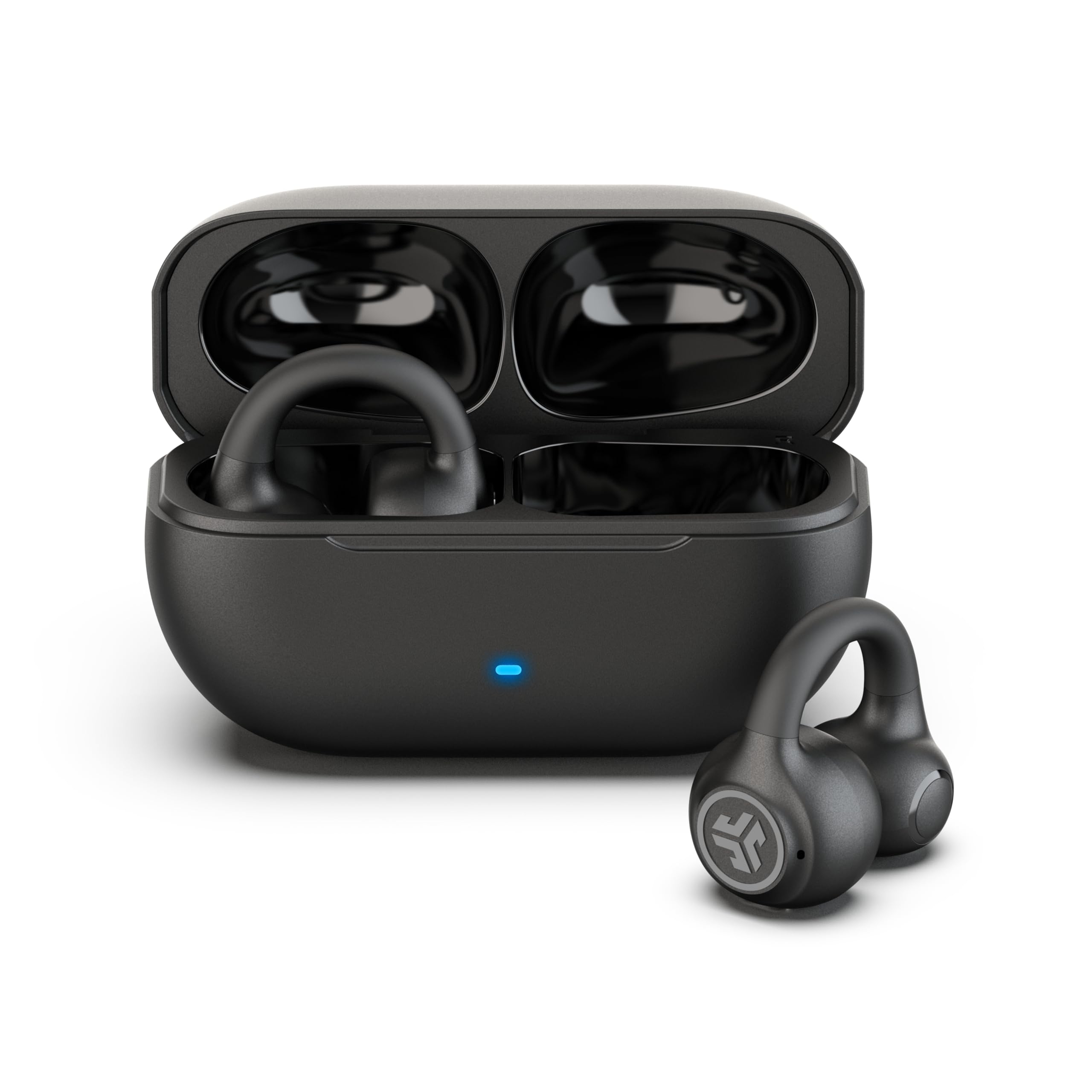
Choose OpenComm2 UC when its computer adapter, boom mic and physical call controls match a meeting-heavy routine. Consider JLab Flex if you prefer a clip-on earbud form, case-based charging and multipoint pairing across devices.
- JLab Flex uses clip-on earbuds with 12 mm open-ear speakers, a charging case, multipoint Bluetooth, app EQ and a MEMS noise-canceling call mic.
- OpenComm2 UC is a 35 g work headset with a boom mic, PC or Mac adapter and physical call controls.
Battery-focused alternative
1,000+ ratings
Read Amazon ReviewsSHOKZ OpenDots 2
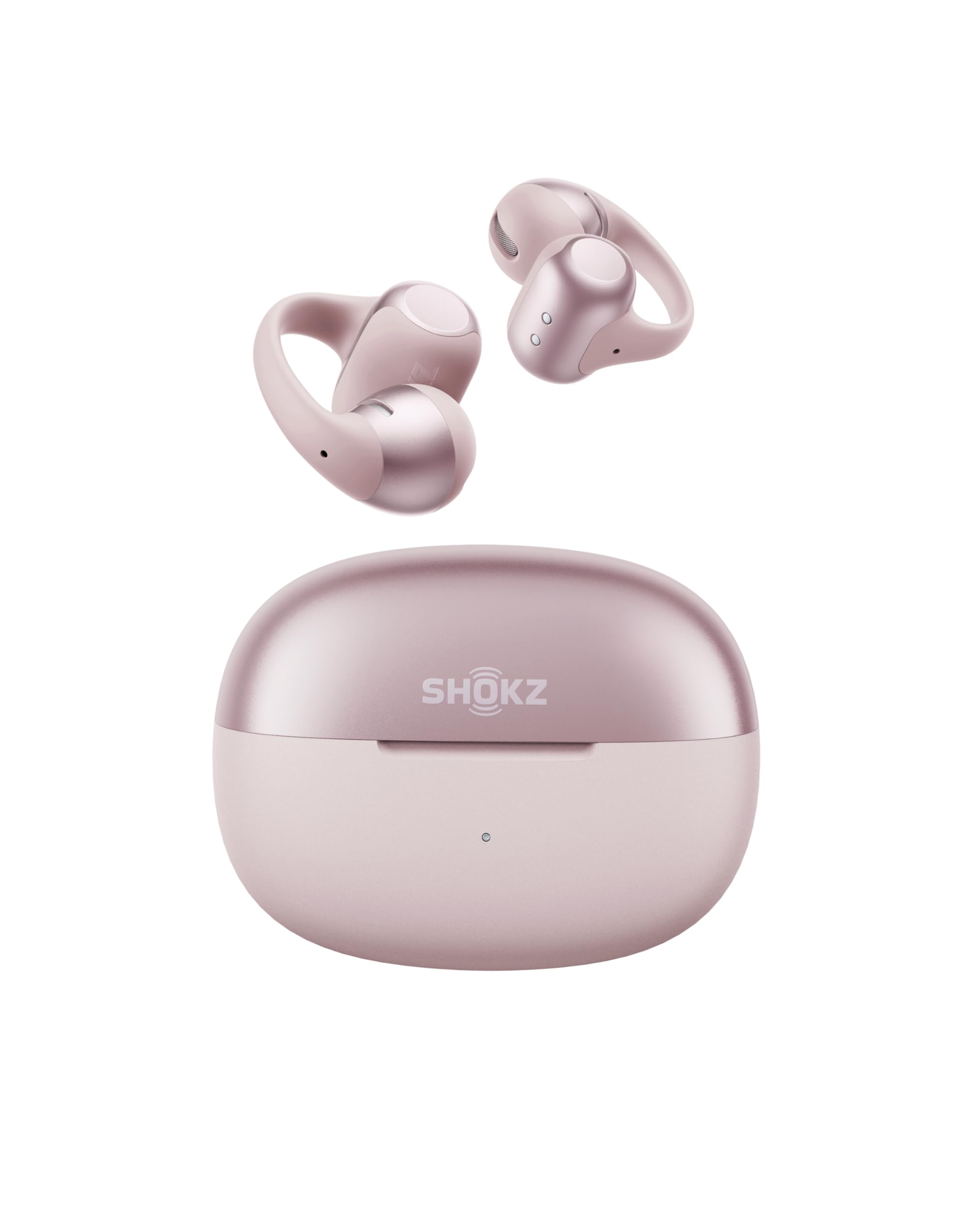
OpenComm2 UC is the more directly work-focused fit when a boom mic and computer adapter are priorities. OpenDots 2 may suit someone who wants a compact clip-on format, app controls and a stated longer single-charge listening figure instead.
- OpenDots 2 is a clip-on open-ear earbud set with three microphones, Bluetooth 6.1, multipoint pairing, app customization and up to 10 hours of listening per charge.
- OpenComm2 UC is tailored to computer calls with a boom microphone and included Loop120 adapter.
Is OpenComm2 UC Worth It?
The SHOKZ OpenComm2 UC is worth considering as a dedicated work headset if you value open-ear wear, a boom mic, computer compatibility and accessible call controls.
Its lightweight build, quick charging and up to 16 hours of talk time make a persuasive feature set for long meeting days.
The main buying decision is whether an open-ear design suits your workspace.
It leaves ambient sound part of the experience, so buyers seeking isolation should look elsewhere; for call-heavy PC or Mac use where awareness and direct controls matter, the OpenComm2 UC is a focused option.
Your review at a glance
500+ ratings
Read Amazon ReviewsSHOKZ OpenComm2 UC
A work-focused headset for people who want a boom mic, open-ear fit, computer adapter and long call sessions without sealing off their ears.
- Open-ear design uses SHOKZ 7th-generation bone conduction technology and PremiumPitch 2.0 audio.
- A boom microphone with DSP noise-canceling technology is designed for calls.
- The included Loop120 wireless adapter is intended for PC and Mac compatibility; the headset is Zoom certified.
- Physical controls provide volume adjustment, call mute and unmute, and audio playback commands.