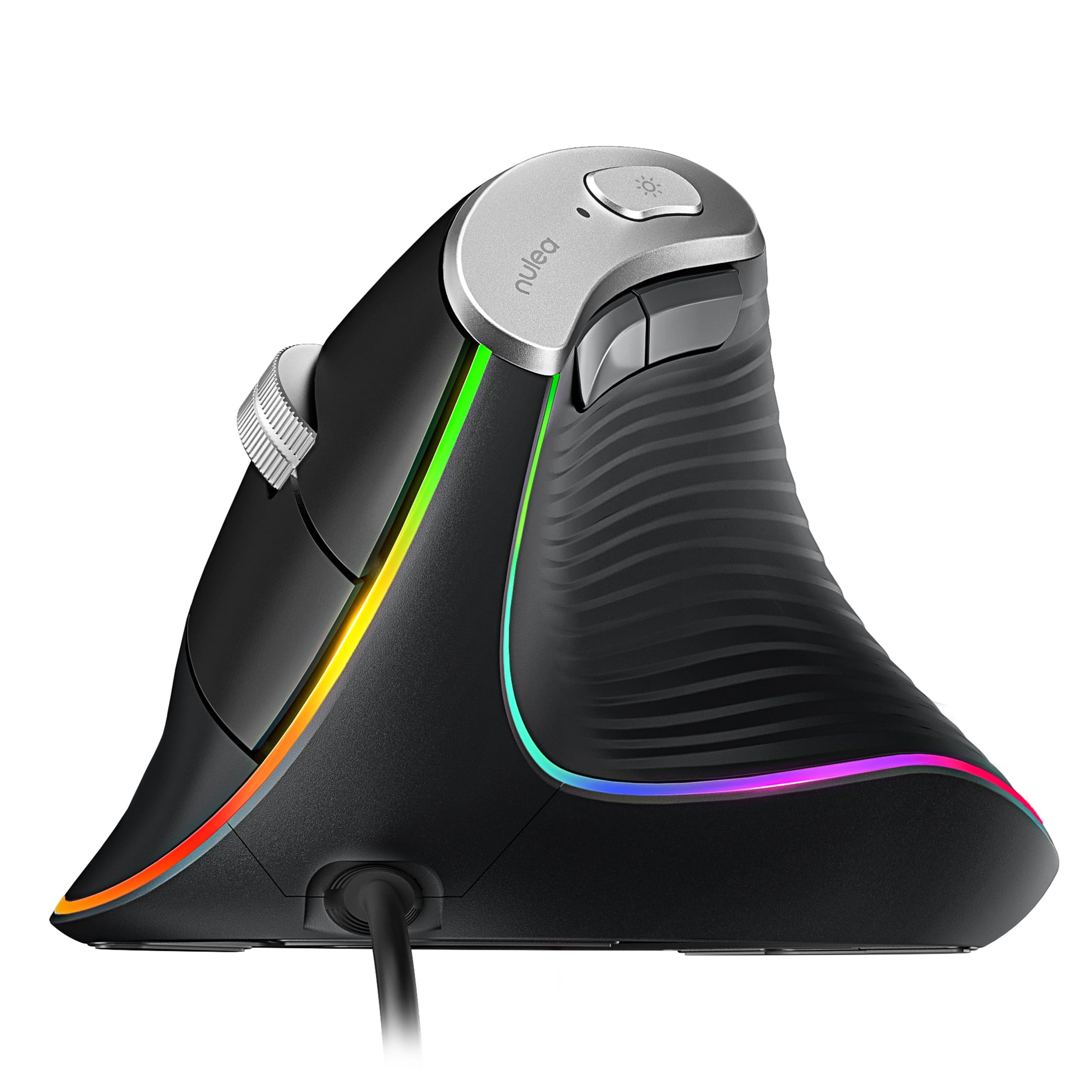
The Nulea M504 is a wired vertical mouse built around a 57-degree grip, four selectable DPI levels, and straightforward USB setup.
This nulea m504 review looks at how those choices suit everyday computer work and what to consider before switching from a conventional mouse.
Nulea M504 Review Summary
The quick verdict
1,000+ ratings
Read Amazon ReviewsNulea M504
A right-handed wired vertical mouse for desk users who want adjustable cursor speed, simple setup, and a different grip style.
- A 57-degree right-handed vertical design intended to support a more natural grip position.
- Four DPI options: 800, 1200, 2400, and 3200.
- Wired USB 2.0 connection with a 1.8-meter cable and plug-and-play setup.
- Optical movement detection and six buttons, including forward and backward navigation buttons.

Pros
- The angled vertical grip gives right-handed users a distinct alternative to a conventional mouse shape.
- Four DPI levels make it possible to adjust cursor responsiveness without relying on a single fixed speed.
Consider before buying
- A vertical grip can feel unfamiliar at first; the product description allows for a few days of adjustment.
- The 1.8-meter cable may be less convenient than a wireless mouse if you prefer a clear desk or move between devices.
Read the full review summary
The M504 combines an angled, right-hand shape with familiar wired operation.
Its 1.8-meter cable and plug-and-play USB 2.0 connection keep setup simple, while four DPI settings let you choose among 800, 1200, 2400, and 3200 for different cursor-speed preferences.
It may suit someone who wants to try a vertical mouse without adding wireless pairing or software setup to the change.
The learning curve is a real consideration: the different grip can take a few days to get used to, and the forward and backward buttons do not work with Mac OS. All buttons are non-programmable.
The buying factors
Nulea M504 Scorecard
Editorial scores reflect listed features and buyer fit; they are not laboratory measurements or customer ratings.
Grip design
The 57-degree vertical shape is a clear alternative to a traditional mouse grip, though adapting to it may take a few days.
Cursor-speed choice
Four selectable DPI levels from 800 to 3200 provide useful choice for browsing and detail-oriented tasks.
Setup simplicity
Plug-and-play USB 2.0 operation with a 1.8-meter cable keeps initial setup straightforward.
Button flexibility
Forward and backward buttons are included, but all buttons are non-programmable and those two navigation buttons are incompatible with Mac OS.
Portability
Its lightweight design and wired connection can make it easy to carry, though the cable needs to be managed.
Personalization
Four DPI settings and 11 RGB lighting modes offer some adjustment, while the buttons cannot be remapped.
Key Features and Specifications of Nulea M504
- A 57-degree right-handed vertical design intended to support a more natural grip position.
- Four DPI options: 800, 1200, 2400, and 3200.
- Wired USB 2.0 connection with a 1.8-meter cable and plug-and-play setup.
- Optical movement detection and six buttons, including forward and backward navigation buttons.
- Eleven RGB backlight modes that illuminate the mouse outline.
- A metal non-slip scroll wheel and lightweight plastic enclosure.
- Compatibility includes laptops and personal computers, with Windows, iPadOS, and Mac OS listed; forward and backward buttons are not compatible with Mac OS.
Pros and Cons of Nulea M504
Pros
- The angled vertical grip gives right-handed users a distinct alternative to a conventional mouse shape.
- Four DPI levels make it possible to adjust cursor responsiveness without relying on a single fixed speed.
- Wired plug-and-play USB setup avoids the need to pair a wireless connection.
- The cable, lightweight design, and compact feature set are practical for a basic work setup.
- Eleven lighting modes, a metal scroll wheel, and dedicated navigation buttons add useful touches.
Consider before buying
- A vertical grip can feel unfamiliar at first; the product description allows for a few days of adjustment.
- The 1.8-meter cable may be less convenient than a wireless mouse if you prefer a clear desk or move between devices.
- The forward and backward buttons are not compatible with Mac OS, and the buttons are not programmable.
Who Should Buy Nulea M504?
Good fit
Consider the Nulea M504 if you want to try a right-handed vertical mouse while keeping a simple wired connection.
The 57-degree shape is its defining choice, and the four DPI settings provide a reasonable range for general browsing, document work, and tasks where you prefer a different cursor response.
It also fits buyers who value easy setup over wireless features.
Plug the USB cable into a compatible computer and use the mouse without a driver installation; check that the 1.8-meter cable suits your desk layout and that your operating system supports the buttons you expect to use.
Give yourself time to adapt to the grip before deciding whether it suits your routine.
The mouse also offers adjustable lighting, but the more practical buying questions are whether the right-handed shape feels comfortable to you and whether fixed, non-programmable buttons meet your needs.
Who should skip it
Skip it if you need a left-handed or ambidextrous design, since the M504 is specified for right-hand use.
Look elsewhere if wireless operation, programmable controls, or Mac-compatible forward and backward buttons are essential to your setup.
Nulea M504 Review: How Its Design Fits Desk Work
The vertical grip is the main decision
The M504’s 57-degree shape changes how you hold and guide the mouse compared with a conventional design.
That may appeal to someone seeking a different hand position, but it also makes a brief adjustment period likely; give the new grip a few days before judging its fit.
Four DPI steps cover common preferences
Switching among 800, 1200, 2400, and 3200 DPI lets you choose how responsive the cursor feels.
Lower or higher settings can be preferable depending on the task and personal preference, so the useful point is having several built-in options rather than relying on one fixed level.
Wired simplicity comes with a cable
USB 2.0 plug-and-play operation is a straightforward choice for a compatible laptop or desktop.
The 1.8-meter cable avoids a wireless pairing step, while buyers who move the mouse between workspaces should consider how the cable will sit on each desk.
Buttons and lighting have defined limits
The six-button layout includes forward and backward navigation buttons, and the scroll wheel has a metal non-slip design.
Those navigation buttons do not work with Mac OS, and no buttons are programmable; the 11 RGB modes offer visual choice, but do not change how controls can be configured.
Alternatives to Nulea M504
Computer Mice alternative
1,000+ ratings
Read Amazon ReviewsJLab GO Charge Wireless Mouse
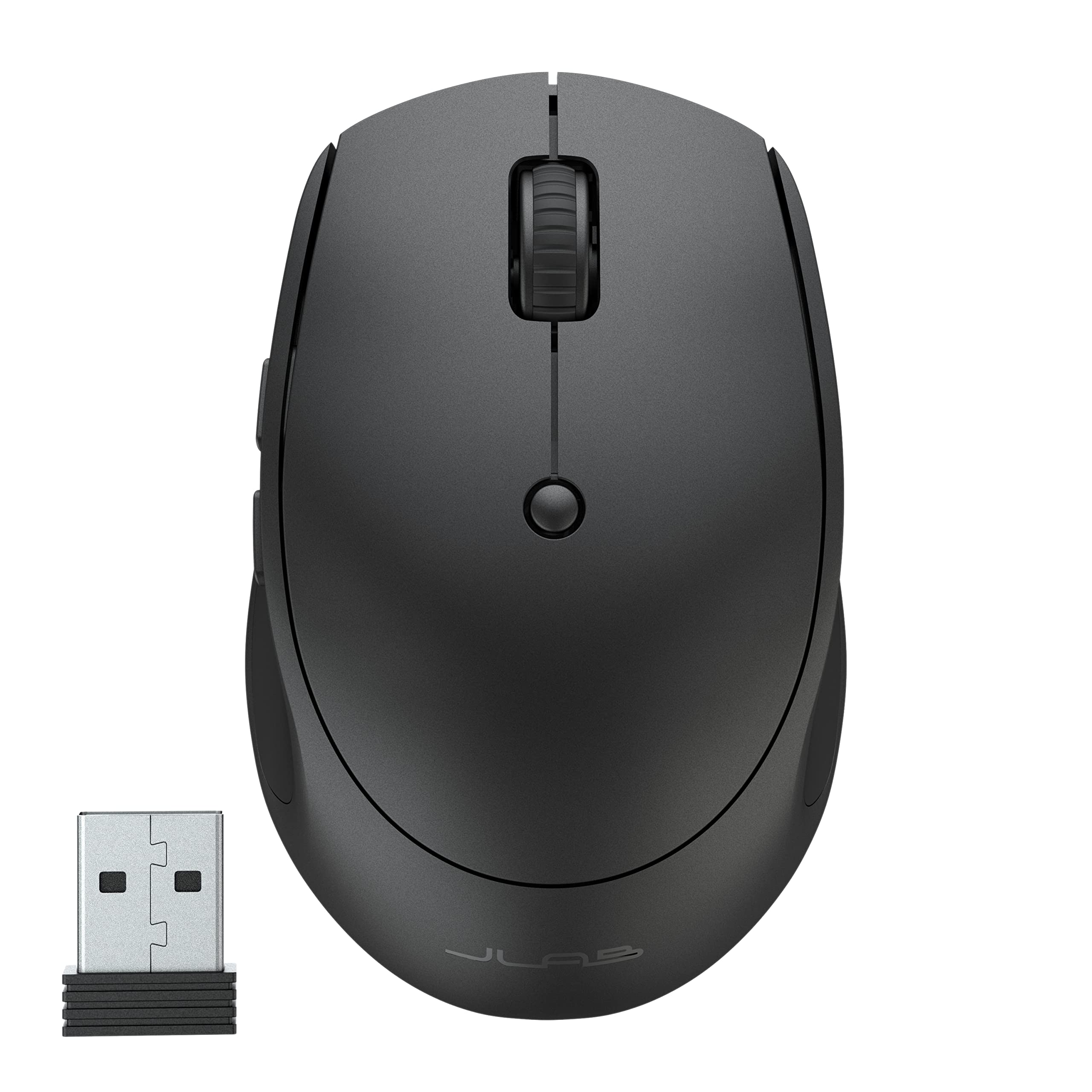
Choose the Nulea if the vertical right-hand grip and wired plug-and-play setup are the priorities. Consider the JLab if you need wireless multi-device switching and a rechargeable compact mouse for portable work.
- The JLab GO Charge connects through Bluetooth 5 or a USB wireless dongle, can pair with up to three devices, and has adjustable DPI tracking.
- It is rechargeable and described as compact, with silent click buttons.
- The Nulea M504 is a wired, right-handed vertical mouse with four DPI settings and a 1.8-meter cable.
Computer Mice alternative
2,000+ ratings
Read Amazon ReviewsSABRENT Mini Travel Wireless Mouse
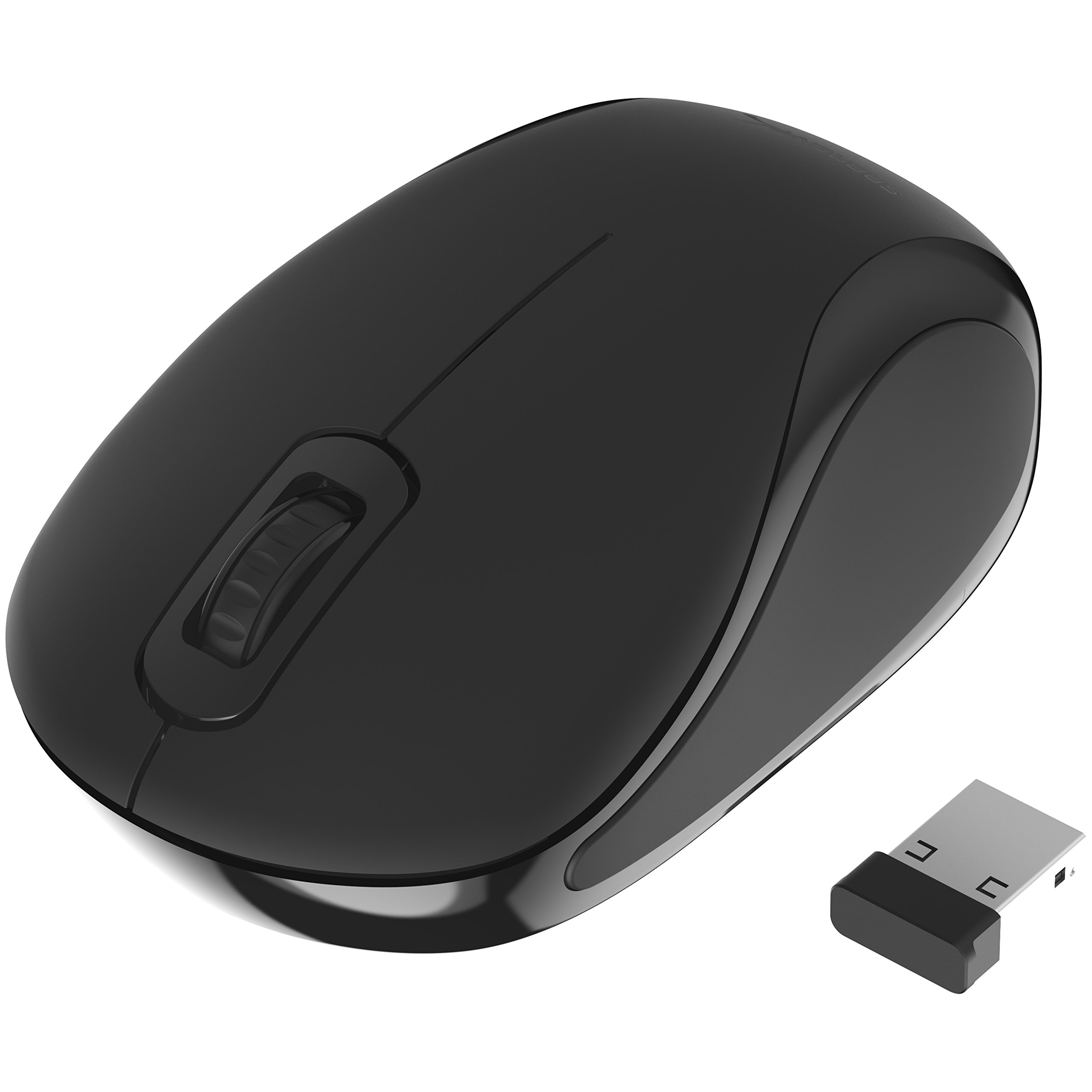
The Nulea offers more cursor-speed choices and a vertical right-handed shape for desk use. The SABRENT is a simpler option to consider if you prefer a small ambidextrous wireless mouse for travel.
- The SABRENT is an ambidextrous mini mouse with a 2.4 GHz wireless connection, a nano receiver, three buttons, and 1200 DPI optical tracking.
- The Nulea M504 provides a 57-degree vertical grip, four DPI levels, and six buttons, with a wired USB connection.
Is Nulea M504 Worth It?
The Nulea M504 is worth considering if you want to try a right-handed vertical mouse and are comfortable with a wired USB connection.
Its adjustable DPI, simple setup, and built-in navigation buttons make it a practical everyday option for compatible computers.
Before buying, weigh the grip adjustment period, cable placement, and fixed controls.
Mac users should also account for the forward and backward buttons not working with Mac OS; if those tradeoffs fit your setup, the M504 offers a direct way to explore a vertical mouse design.
Your review at a glance
1,000+ ratings
Read Amazon ReviewsNulea M504
A right-handed wired vertical mouse for desk users who want adjustable cursor speed, simple setup, and a different grip style.
- A 57-degree right-handed vertical design intended to support a more natural grip position.
- Four DPI options: 800, 1200, 2400, and 3200.
- Wired USB 2.0 connection with a 1.8-meter cable and plug-and-play setup.
- Optical movement detection and six buttons, including forward and backward navigation buttons.